
Medical Device Localization Guide
Medical Device Software Localization Checklist
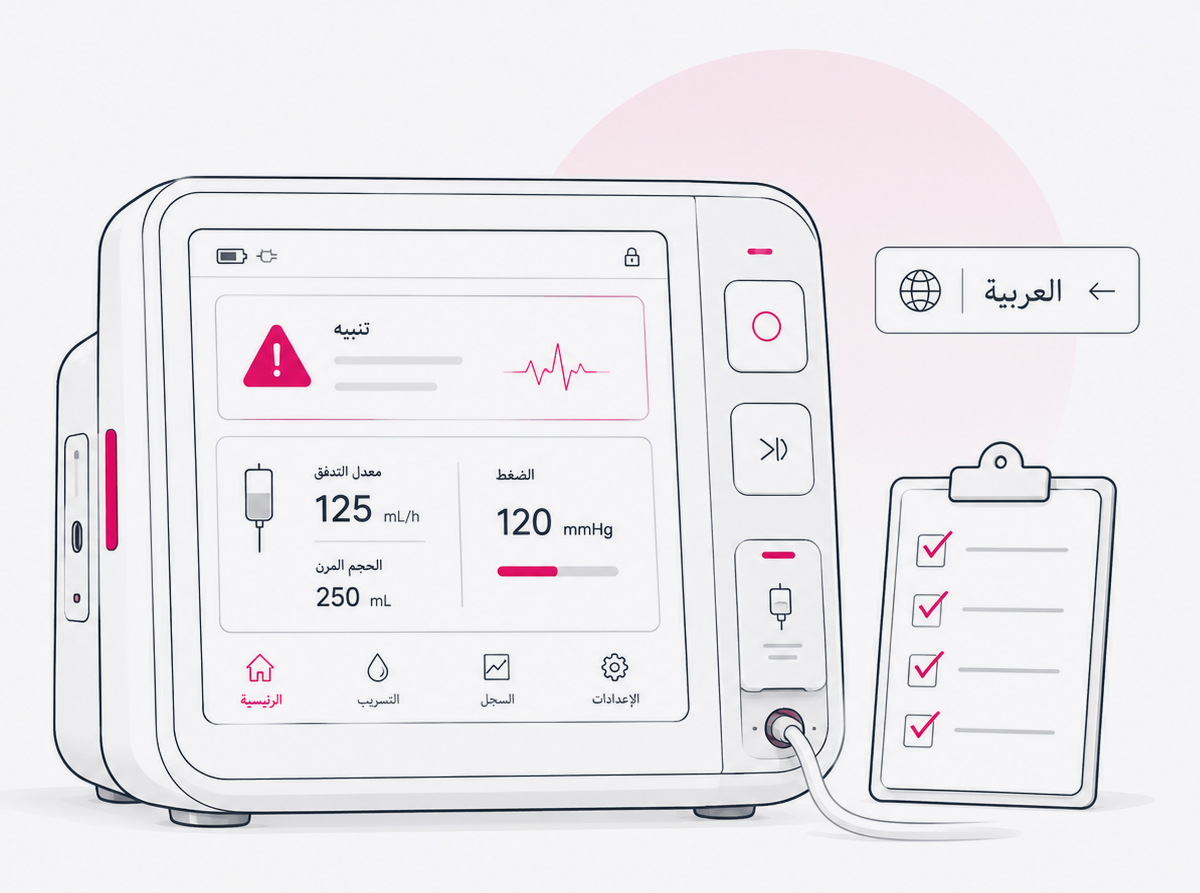
Use this practical, risk-based checklist to prepare, translate, test, approve, and maintain multilingual medical device software. Review interface context, terminology, variables, clinical data, text expansion, character rendering, right-to-left behavior, and linguistic quality before localized software reaches users.
Key Takeaways
What a Controlled Multilingual Release Requires
- 01Treat localized interface content as part of the medical device user experience, not as a separate translation file.
- 02Identify safety-relevant workflows, interface states, and critical strings before translation begins.
- 03Give linguists visual, functional, technical, and intended-user context for every important string.
- 04Keep terminology aligned across the software, IFU, eIFU, labeling, training, reports, and support content.
- 05Test variables, clinical values, text expansion, fonts, complex scripts, and right-to-left behavior inside the product build.
- 06Retain version, defect, correction, retest, and approval evidence for every controlled multilingual release.
In This Guide
Why Medical Device Software Localization Requires Controlled Testing
Medical device software localization involves more than replacing source-language text with translated text. The localized experience must communicate the intended meaning, operate correctly within the software, and support users across real product states and workflows.
A translation can be linguistically correct in a spreadsheet and still fail inside the product. A button may be truncated. A dynamic value may appear in the wrong position. A warning may become ambiguous. A unit may separate from its number. A right-to-left screen may display a model number incorrectly. A translated error message may no longer match the recovery action available to the user.
These issues matter because the medical device user interface extends beyond visual appearance. It includes the elements users interact with while preparing, operating, and maintaining a device, including software controls, displays, alarms, feedback, labels, and supporting instructions. Localization teams should therefore evaluate both language quality and product behavior.
This guide provides localization planning and testing guidance. Manufacturers remain responsible for determining the regulatory, risk-management, usability, verification, validation, and approval activities applicable to each device, software change, user group, and market.
Who Should Use This Checklist?
The checklist is designed for cross-functional teams responsible for global medical device software and can be tailored to embedded interfaces, standalone software, companion applications, and connected clinical platforms.
Products and Interfaces Covered
Use the framework for embedded medical device interfaces, Software as a Medical Device, in vitro diagnostic software, device-control applications, companion mobile applications, connected-device platforms, patient-facing applications, clinician dashboards, monitoring software, administrative portals, servicing tools, and software-delivered help.
Not every item applies to every product. Tailor the review depth to the intended use, intended users, use environment, software architecture, device risk, interface content, release type, platform, target market, and potential consequence of a defect.
Use a Six-Gate Framework for Every Multilingual Release
Localization becomes easier to control when teams organize it around six release gates rather than one translation handoff.
Plan, Prepare, Localize, Test, Approve, and Maintain
Plan
Have we defined markets, locales, intended users, builds, critical workflows, risks, and responsibilities?
Prepare
Can the software architecture, fonts, layouts, resource files, and locale logic support the required languages?
Localize
Are linguists working with approved terminology, complete context, and protected technical content?
Test
Has the localized build been reviewed across representative devices, states, values, and workflows?
Approve
Are defects resolved, evidence complete, versions aligned, and required approvals recorded?
Maintain
Can the organization control localization across updates, patches, platforms, and new markets?
Apply the Framework by Locale and Build
- Assign an accountable owner for each gate.
- Define the software build, locale, platform, and test environment.
- Complete the applicable checks and retain objective evidence.
- Log, classify, correct, and retest defects.
- Obtain the required approval before proceeding to release.
Define a locale more precisely than a language alone. French for France and French for Canada, for example, may require different terminology, formats, conventions, and approved product language. Treat every supported locale as a controlled product configuration.
Where Localization Fits Within Quality, Risk, and Usability Processes
Medical device software localization should operate within the manufacturer's established quality, software lifecycle, usability, and risk-management processes.
A controlled localization process supports clearer ownership, supplier oversight, version traceability, documented review, and risk-based decision-making. Depending on the device and market, applicable frameworks may include ISO 13485 for quality management, ISO 14971 for medical device risk management, IEC 62304 for software lifecycle processes, and IEC 62366-1 for usability engineering as it relates to safety.
Localization teams should not assume that every language change requires the same level of review. Instead, evaluate whether the change affects critical tasks, user understanding, interface behavior, clinical presentation, or use-related risk, then route it through the manufacturer's applicable process.
A checklist can support a compliant quality process, but it does not itself establish regulatory compliance, complete software validation, or replace formal human-factors activities required for a particular product.
Define the Localization Scope and Risk Before Translation Begins
Localization planning should begin with the product, users, markets, and workflows—not with a word count.
The same source string can have very different implications depending on where it appears. A phrase displayed in a general information panel may be relatively low risk. The same phrase used in an alarm, treatment setting, calibration step, or error-recovery workflow may require more context, review, and testing.
What to Check
- Target countries and locales are confirmed.
- Regional language variants are defined.
- Intended users are identified for each interface.
- User language, literacy, and domain knowledge are considered.
- Intended use environments are documented.
- Supported device models, platforms, and screen sizes are listed.
- Software builds and language-pack versions are identified.
- Safety-relevant workflows and critical interface content are flagged.
- Market-specific language requirements have been reviewed.
- Regulatory, engineering, linguistic, quality, and approval owners are assigned.
- The schedule includes integration, testing, correction, and retesting.
- Dependencies involving the IFU, eIFU, labeling, training, and reports are identified.
Content That May Require Increased Control
- Warnings, alarms, contraindications, and confirmation prompts
- Treatment, diagnostic, and patient-status information
- Operating parameters, thresholds, ranges, and clinical values
- Setup, calibration, maintenance, and recovery instructions
- Power, battery, network, sensor, and accessory states
- Emergency, escalation, and error-recovery instructions
- Market and locale matrix
- Product and platform matrix
- Interface inventory
- Critical-content classification
- Workflow map
- Responsibility matrix
- Approved localization plan
Prepare the Medical Device Software for Multiple Languages
Many defects discovered during translation are internationalization problems caused by hard-coded text, fragmented sentences, unsupported scripts, or inflexible layouts.
Internationalization makes the product capable of supporting different languages and regional conventions without redesigning the application for every market.
What to Check
- User-facing strings are externalized from source code.
- Hard-coded interface text has been identified and addressed.
- Text embedded in images is avoided or separately managed.
- Sentences are not assembled from fragments that translators cannot reorder.
- Plural, gender, and grammatical variants are supported where required.
- Unicode is supported across storage, processing, display, input, export, and integration.
- Locale identifiers are applied consistently.
- Interface containers can expand and wrap appropriately.
- Required scripts are supported by approved fonts.
- Locale-specific formats are separated from translatable language.
- Fallback behavior and missing-translation detection are defined.
- Pseudo-localization is performed before production integration.
- Language switching does not retain content from the previous locale.
- Offline modes, notifications, reports, PDFs, and external displays use the correct language resources.
- Input, search, filtering, sorting, and copy-paste behavior support the target scripts.
Do not reuse one English string in several unrelated contexts simply because the source wording is identical. Words such as "open," "lead," "normal," "clear," and "dose" may require different translations depending on their grammatical function and product meaning.
- Internationalization audit
- Hard-coded text report
- Pseudo-localization results
- Font and script matrix
- Supported-locale specification
- Technical issue log
Build a Complete String Inventory and Context Package
Interface context helps linguists translate the intended function rather than guess from an isolated source string.
A translator who sees only "Clear," "Apply," "Lead," or "Normal" may not know the screen, user, action, device state, or grammatical role. Context should be part of the translatable asset, not an informal supplement added only after questions arise.
What to Check
- Every string has a stable identifier.
- Each string is associated with its screen or component.
- Screenshots or visual references are available.
- The relevant user workflow and intended user are documented.
- The string function is identified as a button, label, warning, status, heading, or instruction.
- Character or layout constraints are provided.
- Variables and possible values are explained.
- Related strings are grouped.
- Hidden, conditional, and error-state strings are included.
- Developer comments are understandable to non-developers.
- Abbreviations and acronyms are expanded.
- Content that must remain untranslated is identified.
- Identical source strings with different meanings have separate entries.
- Obsolete strings are removed and the source text is approved.
- Linguist questions can be routed to an accountable product owner.
| Field | Purpose |
|---|---|
| String ID | Maintains traceability across builds and languages |
| Source text | Establishes the approved source baseline |
| Screen or component | Shows where the text appears |
| Workflow | Explains the task or device state |
| UI function | Identifies button, label, warning, status, or instruction |
| Intended user | Distinguishes clinician, patient, technician, or administrator content |
| Screenshot | Provides visual and spatial context |
| Character limit | Identifies layout constraints |
| Variables | Explains dynamic values and syntax |
| Risk category | Supports review and testing decisions |
| Developer note | Clarifies behavior or intended meaning |
| Approved terminology | Connects the string to controlled product language |
Why the Word "Clear" Cannot Be Translated in Isolation
- Approved string inventory
- Screenshot library
- Context records
- Source baseline
- Query and decision log
- Translation export history
Control Terminology Across the Interface, IFU, and Labeling
Users may encounter the same product concept in the software interface, instructions for use, electronic IFU, labels, quick-start guides, training materials, reports, and technical support content.
Inconsistent terminology can make instructions harder to follow and may suggest that two related terms refer to different components, actions, or states. A controlled termbase gives translators, reviewers, engineers, and documentation teams one approved source of multilingual product language.
What to Check
- A product-specific source glossary is approved.
- Approved translations are defined for each locale.
- Interface terms align with the IFU and eIFU where appropriate.
- Device-component names, alarms, statuses, and operating states are differentiated clearly.
- Clinical terminology is reviewed by qualified subject-matter linguists.
- Patient-facing and clinician-facing language use the appropriate register.
- Approved abbreviations are documented.
- Ambiguous and prohibited translations are recorded.
- Regional terminology differences are managed by locale.
- Units, symbols, product codes, trademarks, and proprietary terms are addressed.
- Legacy terminology is mapped to current terminology.
- Terminology changes trigger impact analysis across related assets.
- Questions, decisions, reviewers, and approval dates are retained.
Recommended Terminology Record
Record the source term, definition, context, part of speech, approved translation, locale, usage example, prohibited translation, product component, reference document, approval owner, approval date, and revision history.
Explore enterprise terminology managementTranslate and Review the Interface in Context
Medical device interface translation must account for meaning, workflow, user role, visual placement, and product behavior—not only source-language equivalence.
What to Check
- Translators have appropriate medical and software-localization experience.
- Linguists understand the intended user and use environment.
- Translators can view screenshots or the working product.
- Patient-facing language avoids unnecessary complexity.
- Clinician-facing language uses accepted professional terminology.
- Commands are direct and unambiguous.
- Warnings communicate both the condition and the required action.
- Status messages do not imply an incorrect device or clinical state.
- Related screens use consistent product language.
- Abbreviations remain understandable and approved.
- Ambiguous source text is queried rather than guessed.
- Defined content categories receive independent review.
- Medical terminology receives subject-matter review where required.
- Corrections are reflected in the translation memory and termbase.
- Final language is reviewed in the integrated interface.
Keep These Activities Distinct
Translation
Creates the target-language content.
Independent Linguistic Review
Evaluates accuracy, completeness, terminology, fluency, and audience suitability.
Automated Localization QA
Checks measurable issues such as missing text, variables, tags, numbers, and terminology inconsistencies.
In-Product Linguistic Testing
Evaluates language and presentation inside the actual software.
Functional Software Testing
Confirms that the localized product behaves as intended.
Human Factors or Usability Validation
Evaluates representative users performing applicable tasks under the manufacturer's process.
Verify Variables, Placeholders, Tags, and Dynamic Content
A translated sentence may import successfully while containing a broken variable, altered tag, incorrect placeholder order, or grammatically incompatible dynamic value.
What to Check
- Every required variable is present.
- Variable names and syntax remain unchanged.
- Duplicate or missing placeholders are detected.
- Placeholder order is appropriate for the target language.
- The system allows linguistic reordering where necessary.
- Markup, tags, and escape characters are protected.
- Line breaks are intentional.
- Keyboard shortcuts do not conflict.
- URLs, file paths, codes, and commands are preserved.
- Dynamic nouns support required grammatical forms.
- Singular, plural, and zero-value behavior is correct.
- Minimum, maximum, long, blank, null, unavailable, and unknown values are tested.
- Variables remain readable in right-to-left strings.
- Inserted values do not create misleading wording.
- Automated placeholder checks are completed before integration.
- Integrated dynamic strings are reviewed with realistic values.
Test Realistic and Extreme Values
Testing only one typical value may conceal layout, plural, ordering, directionality, or grammar problems. Use zero, one, multiple, negative, maximum-length, missing, and exceptional values where the software permits them.
- Automated QA report
- Variable test cases
- Integrated screenshots
- Corrected resource files
- Retest results
Test Locale-Sensitive Numbers, Units, Dates, and Clinical Data
Numbers and clinical values may appear universal, but their formatting, interpretation, spacing, and surrounding language can vary by locale.
What to Check
- Decimal and thousands separators
- Positive and negative signs
- Leading and trailing zeros
- Percentages, ranges, and thresholds
- Greater-than and less-than symbols
- Scientific notation, fractions, superscripts, and subscripts
- Date order, month names, and abbreviations
- 12-hour and 24-hour time and time zones
- Temperature and measurement units
- Unit spacing and line wrapping
- Reference values, chart legends, axes, tables, and reports
- Values inserted into sentences
- Data-entry validation
- Imported, exported, printed, and PDF output
- Mixed-direction numbers and units
Do not automatically convert medical units, ranges, thresholds, or calculations solely because a different locale is selected. Any change to clinical presentation should follow the manufacturer's approved product, risk, engineering, and market requirements.
Hidden Defects to Look For
- A value displayed as 1,5 is parsed incorrectly by the application.
- A minus sign disappears because the selected font lacks the expected glyph.
- A unit wraps onto another line and appears to belong to a different value.
- A date such as 04/05/2026 is ambiguous to the intended user.
- A right-to-left screen visually reverses a numerical range.
- A localized input field rejects the decimal format shown by the interface.
- A generated report uses a different locale convention from the device display.
- Locale-format test matrix
- Boundary-value results
- Data-entry test cases
- Export and print samples
- Device screenshots
- Approved exceptions
Allow for Text Expansion Without Hiding Critical Information
Translated content may be longer or shorter than the source, and short English interface strings can experience especially large proportional expansion.
What to Check
- Buttons, tabs, menus, dialog boxes, and alerts
- Tooltips, form labels, drop-down lists, and tables
- Charts, navigation, modal windows, and status banners
- Toast messages and transient notifications
- Small device displays and external displays
- Mobile portrait and landscape views
- Responsive layouts
- Printed output and generated reports
Defects to Identify
- Truncated, clipped, overlapping, or incorrectly wrapped text
- Hidden controls or excessive scrolling
- Misaligned fields and broken line spacing
- Detached numbers and units
- Obscured warning symbols, values, charts, or status indicators
- Reduced type that becomes difficult to read
- Buttons that become difficult to identify or select
Flexible interface design is preferable to inventing abbreviations after translation. When shortening is unavoidable, review the abbreviation linguistically, test it in context, and add it to the approved terminology record.
- Pseudo-localization screenshots
- Viewport and device matrix
- Layout defect log
- Before-and-after screenshots
- Retest results
Check Unicode, Fonts, Diacritics, and Complex Script Rendering
A system may store translated characters correctly but display or process them incorrectly because of font fallback, shaping, normalization, line-breaking, input, or export problems.
Scripts and Behaviors to Evaluate
Review accented Latin characters, Vietnamese diacritics, Cyrillic, Greek, Arabic, Hebrew, Simplified and Traditional Chinese, Japanese, Korean, Thai, Devanagari and other Indic scripts, combining characters, full-width and half-width forms, superscripts, and subscripts as applicable.
What to Check
- Required glyphs are present without replacement boxes or question marks.
- Font fallback preserves readability and hierarchy.
- Diacritics remain attached to the correct characters.
- Arabic letters join and shape correctly.
- Indic and other complex scripts form correctly.
- Character normalization does not alter search or comparison behavior.
- Line breaking and punctuation are appropriate for the script.
- Text remains legible at the smallest supported size.
- Cursor movement and text selection follow expected behavior.
- Search, filtering, sorting, and collation support localized input.
- Copy and paste preserve the content.
- Notifications, printing, PDF generation, reports, and external displays preserve the script.
Test on supported hardware and operating systems rather than relying entirely on a desktop preview or resource-file review.
Validate Right-to-Left and Mixed-Direction Content
Arabic and Hebrew interfaces frequently contain left-to-right elements such as numbers, units, product names, serial numbers, error codes, email addresses, and URLs.
What to Check
- Overall interface direction and navigation sequence
- Text alignment and form labels
- Back and forward controls
- Directional icons, progress indicators, and sliders
- Tables, charts, parentheses, and punctuation
- Numbers, units, model numbers, and serial numbers
- Error codes, product names, email addresses, and URLs
- Search fields, cursor movement, and text selection
- Notifications, exported reports, and printed output
Do Not Mirror Every Element Automatically
Define which components follow reading direction, represent a physical direction, represent time or progression, must remain unchanged, or require locale-specific validation. A navigation arrow may follow reading direction, while an icon representing a physical device orientation may need to remain unchanged. The correct behavior depends on meaning, not only layout.
- RTL interface specification
- Mixed-direction test cases
- Target-hardware screenshots
- Defect and exception records
- Retest approvals
Test Localized Software Through Real User Workflows
A string-by-string review cannot reveal every problem. Localization defects often become apparent only when content appears in sequence, responds to input, changes with device state, or interacts with other screens.
Workflows to Test Where Applicable
What to Check
- Every visible string is translated and matches its screen and function.
- Navigation remains understandable and the expected action is clear.
- System feedback matches the action taken.
- Critical workflows use approved terminology.
- Hidden, conditional, and error-state strings are exercised.
- Maximum-length values are displayed.
- Warnings remain visible long enough to read.
- Language changes persist correctly.
- Unexpected fallback content does not appear.
- Help content corresponds to the active screen.
- Voice, audio, or accessibility content is synchronized where applicable.
- Supported hardware, operating systems, and representative environments are covered.
Linguistic testing can identify multilingual interface defects, but it does not automatically replace software verification, usability evaluation, or human-factors validation required by the manufacturer.
- Approved test scripts
- Locale and device matrix
- Tester qualifications
- Execution records
- Screenshots or recordings
- Defect reports
- Correction and retest evidence
- Final test summary
Use a Risk-Based Localization Defect Model
A punctuation preference and a mistranslated alarm should not receive the same response or release priority.
A structured severity model helps teams escalate important findings, allocate resources, and define release criteria. The examples below are illustrative and should be adapted to the manufacturer's established processes.
Critical
A defect that could contribute to an incorrect action, misunderstanding of safety-relevant information, or inability to complete a critical task.
- Incorrect clinical value or unit
- Hidden or mistranslated alarm
- Reversed action or wrong status
- Missing emergency instruction
Major
A defect that prevents task completion or causes substantial misunderstanding but is not currently assessed as critical.
- Unusable setup screen
- Truncated action button
- Broken variable substitution
- Missing recovery instruction
Moderate
A defect that reduces clarity, consistency, or usability without preventing the workflow.
- Inconsistent terminology
- Awkward instruction
- Noncritical layout problem
- Unapproved abbreviation
Minor
A cosmetic or stylistic issue with limited effect on meaning or use.
- Punctuation preference
- Nonessential spacing
- Stylistic inconsistency
- Capitalization preference
This is a localization triage model, not a replacement for the manufacturer's ISO 14971 risk-management process. Findings with potential safety or regulatory significance should be escalated through the established quality and risk procedures.
Recommended Defect Fields
Record the defect ID, locale, software build, language-pack version, platform, screen, workflow, string ID, observed content, expected content, severity, potential user effect, screenshot, owner, corrective action, retest result, approval status, and dates.
Complete Multilingual Release Approval and Traceability
A localized file importing successfully does not mean the product is ready for release.
What to Check
- Every planned locale has completed its required workflow.
- Critical screens and workflows have passed testing.
- All critical localization defects are resolved.
- Major defects are resolved or formally dispositioned.
- Corrections have been retested and open deviations are documented.
- Terminology and translation memory updates are synchronized.
- The interface, IFU, eIFU, labeling, and training content are appropriately aligned.
- The approved language files match the release build.
- The language-pack version is recorded.
- Required engineering, linguistic, quality, regulatory, and product approvals are complete.
- Release evidence is stored in the appropriate system.
- Rollback and hotfix procedures are defined.
- Support teams receive approved terminology and known-issue information.
- Post-release feedback routes are active.
Recommended Release Record
| Field | Purpose |
|---|---|
| Product | Product or device name |
| Software version | Approved release build |
| Language-pack version | Approved localized resource version |
| Locale | Language and market variant |
| Device or platform | Tested configuration |
| Test environment | Hardware, operating system, and supporting systems |
| Reviewer | Qualified person completing the review |
| Review date | Date testing was completed |
| Defects | Resolved and approved open findings |
| Approval | Owner, status, and date |
Control Localization Across Software Updates and New Markets
Agile development, connected applications, cloud platforms, modular language packs, and remote delivery make multilingual change control an ongoing product responsibility.
What to Check
- New and changed strings are identified.
- Deleted strings are removed.
- New strings include context.
- Previously approved translations are reused appropriately.
- Changed source meaning invalidates obsolete translations.
- Terminology changes receive impact analysis.
- Affected workflows are regression-tested.
- Language resources remain mapped to the correct software build.
- Emergency patches include localization impact assessment.
- Screenshots and supporting documentation are updated.
- New operating systems, device models, and display sizes are evaluated.
- Market-specific changes remain isolated to the intended locales.
- User and support feedback is reviewed.
- Localization findings are routed into applicable complaint or quality processes.
- Post-release corrections and language assets remain version-controlled.
Localization APIs, repository connections, webhooks, and continuous integration workflows can help synchronize resource files, translation keys, context, review status, and localized builds. Automation should preserve technical structure and approval status rather than reducing localization to an uncontrolled text exchange.
Explore software localization servicesWhere AI Can Support Medical Device Software Localization
AI can improve speed and scalability when it is applied within a controlled workflow that reflects content risk and preserves qualified human review.
Useful AI-Assisted Activities
- Draft translation for approved content categories
- Terminology suggestions and repetition identification
- Missing-translation, placeholder, and tag checks
- Terminology and number consistency checks
- Text-expansion prediction and change-impact analysis
- Test-case prioritization and defect grouping
Controls to Retain
- Classify content by risk and intended use.
- Use approved systems and data-handling controls.
- Supply product terminology and interface context.
- Protect variables, tags, and technical syntax.
- Require qualified review for defined content.
- Test approved translations inside the software.
- Document workflow versions where required.
- Do not release raw AI output into the device interface.
Evaluate AI output for meaning, completeness, terminology, clinical appropriateness, and interface behavior—not only fluency. A fluent sentence may still contain an omission, meaning shift, wrong unit, incorrect term, or misleading instruction.
Read AI Translation for Medical DevicesCommon Medical Device Software Localization Failures
These recurring defects often arise when localization is treated as a file-processing task rather than an integrated product workflow.
| Failure | Why It Happens | Better Approach |
|---|---|---|
| Translating strings without screenshots | Linguists cannot determine the function or meaning. | Provide screen, workflow, user, and string-level context. |
| Reusing one translation for different meanings | Identical English wording is assumed to represent the same concept. | Separate context-dependent strings and approve each use. |
| Breaking variables or tags | Technical elements are treated as ordinary text. | Protect syntax and run automated validation. |
| Truncating a warning | Interface dimensions were designed only for the source language. | Use flexible layouts and pseudo-localization early. |
| Displaying the wrong unit or format | Locale formatting and product configuration are conflated. | Validate formats against approved market requirements. |
| Leaving fallback strings untranslated | Hidden and error states are excluded from the inventory. | Exercise conditional, offline, and error workflows. |
| Using terminology that conflicts with the IFU | Software and documentation are localized separately. | Maintain shared terminology and cross-asset review. |
| Testing only the normal state | Teams review ideal screens rather than product behavior. | Trigger alarms, failures, interruptions, and recovery states. |
| Reviewing only an emulator | Device-specific rendering and interaction issues remain hidden. | Test on supported target hardware where practical. |
| Treating RTL as right alignment | Bidirectional ordering, navigation, and component behavior are overlooked. | Test the complete interface and mixed-direction content. |
| Releasing the wrong language pack | Build and translation versions are not linked. | Record and verify software and language-pack versions. |
| Skipping regression testing | A small source change is assumed to have limited effect. | Analyze affected strings, screens, workflows, and assets. |
Medical Device Software Localization: Final Pre-Release Checklist
Use this condensed master checklist as the final confirmation before a localized build enters the manufacturer's release-approval process.
Plan
- Target markets, languages, and locales are approved.
- Intended users and use environments are documented.
- Device models, platforms, and software builds are confirmed.
- Safety-relevant workflows and interface content are identified.
- Regulatory and market language requirements are reviewed.
- Cross-functional ownership and approval responsibilities are assigned.
Prepare
- User-facing strings are externalized and hard-coded text has been addressed.
- Unicode, target scripts, fonts, and input methods are supported.
- Layouts support expansion, wrapping, and supported display sizes.
- Locale formats, language switching, and fallback behavior are defined.
- Pseudo-localization has been completed.
- String IDs, screenshots, context, variables, and approved source terminology are available.
Localize
- Qualified medical software linguists are assigned.
- Locale-specific terminology is approved.
- UI language is coordinated with the IFU and eIFU where appropriate.
- Variables, tags, placeholders, and syntax are protected.
- Ambiguous source content has been resolved.
- Required independent linguistic and subject-matter review is complete.
Test
- Localized builds are available for review.
- Dynamic values and boundary cases are tested.
- Numbers, dates, units, and clinical displays are verified.
- Text expansion, characters, complex scripts, and RTL behavior are reviewed.
- Hidden, error, interrupted, maintenance, and update states are exercised.
- Representative workflows, devices, and platforms are covered.
- Defects are recorded, classified, corrected, and retested.
Approve
- Critical findings are resolved.
- Major findings are resolved or formally dispositioned.
- Translation memory and terminology assets are synchronized.
- UI and related product information are appropriately aligned.
- The approved language pack matches the release build.
- Evidence is complete and required stakeholders have approved the release.
Maintain
- New and changed strings can be detected.
- Localization impact is assessed for every update.
- Regression-test requirements are defined.
- Language resources remain under version control.
- Feedback and post-release defects have an escalation path.
- Translation memories, terminology, context, and screenshots remain current.
What to Record During Medical Device Linguistic Testing
A testing record should make every finding traceable to the product configuration, user workflow, correction, and release decision.
| Locale | German — Germany |
|---|---|
| Software build | 4.8.2 |
| Language-pack version | de-DE 4.8.2-03 |
| Device | Model X touchscreen |
| Workflow | Alarm acknowledgement |
| Screen | High Temperature Alert |
| String ID | ALARM_TEMP_ACTION_02 |
| Finding | Action button text is truncated |
| Severity | Major |
| Potential effect | The required action is not fully visible |
| Correction | Approved shorter translation |
| Retest | Passed on the target device |
| Evidence | Screenshot and test case LT-DE-148 |
| Approval | Localization QA and product QA |
Adapt the record to the manufacturer's terminology, quality system, risk process, test-management environment, and release governance.
Medical Device Software Localization FAQs
Answers to common planning, testing, workflow, and governance questions.
What is medical device software localization?
Medical device software localization adapts an interface and its supporting content for users in a specific language and market. It includes translation, terminology, locale formatting, software internationalization, integration, visual review, character rendering, right-to-left behavior, and in-product linguistic testing. The scope may cover embedded interfaces, Software as a Medical Device, companion applications, connected platforms, reports, notifications, and software-delivered help.
How is medical device software localization different from general software localization?
Medical device localization requires the usual technical and linguistic controls, but it places greater emphasis on intended users, medical terminology, safety-relevant workflows, clinical values, consistency with controlled product information, documented quality processes, and the potential effect of an interface defect on user action. The required controls should reflect the device, content, intended use, market, and consequences of an error.
When should localization begin?
Localization planning should begin during product design and internationalization rather than after software development is complete. Early involvement allows teams to externalize strings, design flexible layouts, define locale behavior, establish terminology, prepare context, and include multilingual testing in the release plan. Waiting until the end often converts preventable design limitations into urgent translation and engineering defects.
Who should translate medical device user interfaces?
Medical device interfaces should be translated by linguists who combine target-language expertise with relevant medical, technical, and software-localization experience. The appropriate reviewers depend on the content. Patient-facing setup instructions, clinical alarms, servicing menus, and administrative dashboards may require different subject-matter knowledge and review depth.
Is linguistic testing the same as software validation?
No. Linguistic testing evaluates the translation, terminology, presentation, and usability of localized content inside the software. Software verification and validation assess broader product requirements and intended use. Human-factors validation may evaluate representative users completing critical tasks. These activities may inform one another, but they have different objectives, methods, evidence, and approval responsibilities.
How should variables and placeholders be tested?
Use automated checks to confirm that variables, tags, and placeholders are present and structurally valid. Then test integrated strings with realistic values, including zero, one, multiple, minimum, maximum, long, missing, and unusual values where applicable. Verify grammar, ordering, spacing, directionality, truncation, and whether the inserted value changes the intended meaning.
How much space should be allowed for translated text?
There is no single expansion percentage that works for every language or string. Short English labels can expand substantially, while other translations may become shorter. Use flexible containers, pseudo-localization, representative target-language samples, and testing across supported displays. Avoid solving layout defects by arbitrarily shortening important language.
Do Arabic and Hebrew interfaces always require complete mirroring?
No. Reading order and many navigation patterns may reverse, but not every element should be mirrored. Physical-direction icons, product diagrams, charts, media controls, time-based sequences, and device-orientation indicators may require different treatment. Evaluate each element according to its meaning and the expected user interpretation.
How should UI terminology be coordinated with the IFU and eIFU?
Create a shared product termbase that identifies approved source concepts and locale-specific translations. Reference the IFU, eIFU, labeling, training, and interface use of each important term. When terminology changes, perform impact analysis across affected assets rather than updating one content type in isolation.
Can AI be used to translate medical device software?
AI can support selected activities, including draft translation, terminology suggestions, consistency checks, placeholder validation, change analysis, and automated quality checks. The workflow should reflect content risk. Safety-relevant interface language generally requires qualified human review, controlled terminology, integration testing, and documented approval. Raw AI output should not be released directly into a medical device interface.
What evidence should be retained for each release?
Evidence may include software and language-pack versions, locale and platform configuration, approved source and translation files, terminology decisions, automated quality results, test scripts, screenshots, defects, severity, corrections, retest outcomes, deviations, reviewer identities, and approval dates. The exact record set should follow the manufacturer’s applicable quality and regulatory processes.
Does every localized interface require formal usability testing?
Not necessarily. The required activity depends on the device, interface change, intended users, critical tasks, use-related risk, market, and manufacturer procedures. Teams should assess whether localization changes meaning, task performance, presentation, navigation, feedback, or user understanding and determine the appropriate review or validation route.
How should localized software updates be regression-tested?
Begin with change-impact analysis. Identify changed strings, terminology, components, workflows, locale logic, layouts, and related documentation. Retest modified content and dependent screens or workflows. Broad changes to fonts, frameworks, operating systems, UI components, formatting logic, or language resources may justify wider regression coverage.
Medical Device Software Localization Standards and References
These primary sources provide regulatory, quality, software lifecycle, usability, and internationalization context for multilingual medical device software programs.
Regulations, standards, and national language requirements can change. Confirm the current requirements applicable to the specific device, software function, target market, and release.
Prepare Your Medical Device Software for Global Release
Stepes helps medical device companies localize embedded interfaces, Software as a Medical Device, companion applications, connected platforms, and related product content across global languages. Bring together medical linguistic expertise, terminology control, localization engineering, professional review, in-product testing, and documented release workflows in one scalable program.